
Project 8 — Trackcast / Overcast: the spec
Unit 28 · Project 8 (Trackcast, a podcast player in the shape of Overcast). Backend Tier 1–2. AI stage: Professional — you delegate whole components and review every diff. A real podcast app: subscribed podcasts, a discover search, show pages, chapters, a play queue, and a sleep timer — on top of background playback, lock-screen controls, and downloads.
Trackcast is a podcast player. You browse subscribed shows, discover new ones, open a show to its episodes, and play audio that keeps going when the app is backgrounded or the screen locks — integrating with the lock screen and Control Center, downloading for offline, jumping by chapter, queuing what's next, and winding down on a sleep timer. This is the project where the system is a participant: the OS interrupts you with calls, route changes, and memory pressure, and your audio code has to survive all of it. Media playback is unforgiving — a player that leaks, double-plays, or loses its place under a phone call reads as broken instantly.
What you build
Trackcast — a podcast player with:
- Podcasts — a grid of subscribed shows, each opening a show page of episodes.
- Discover — a searchable directory of podcasts to subscribe to.
- Now Playing — play/pause, a scrubber, skip ±, speed, a chapters list, a sleep timer, and an up-next preview.
- Queue — the ordered list of what plays next, reorderable.
- Downloads — background downloads with progress and a "downloaded" badge.
- Background playback + lock-screen/Control Center controls + a Live Activity (elective).
The screens
| Screen | Shows | Key interaction |
|---|---|---|
| Podcasts | subscribed shows grid | tap a show |
| Show page | show info + episode list | play / resume / download |
| Discover | searchable podcast directory | search, subscribe |
| Now Playing | artwork, scrubber, chapters, speed, sleep, up-next | play, skip, seek to chapter |
| Queue | now playing + up next | reorder, play |
What it looks like finished
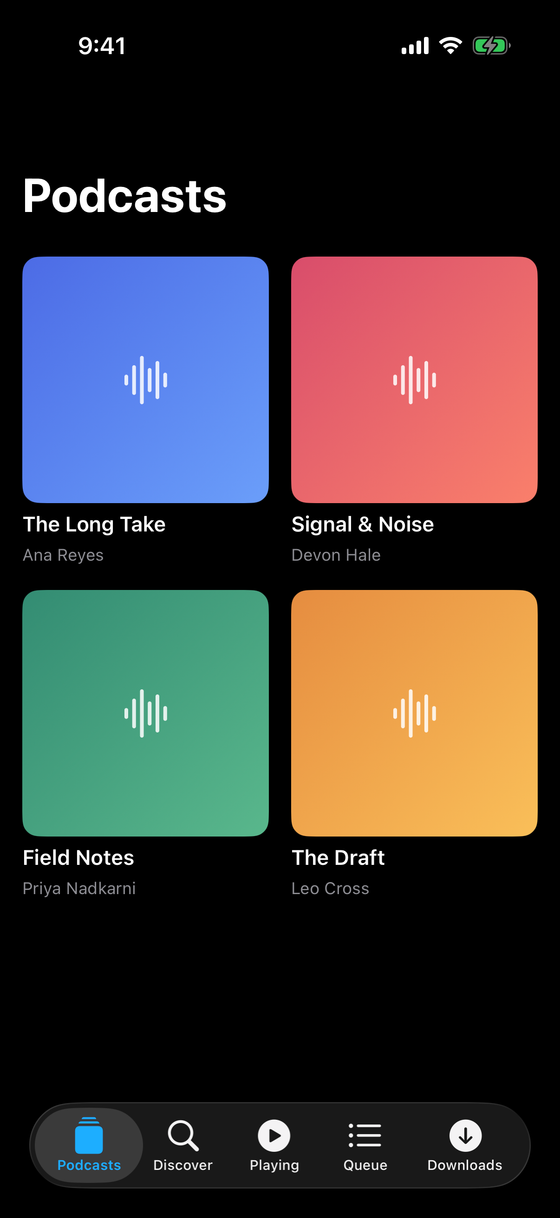
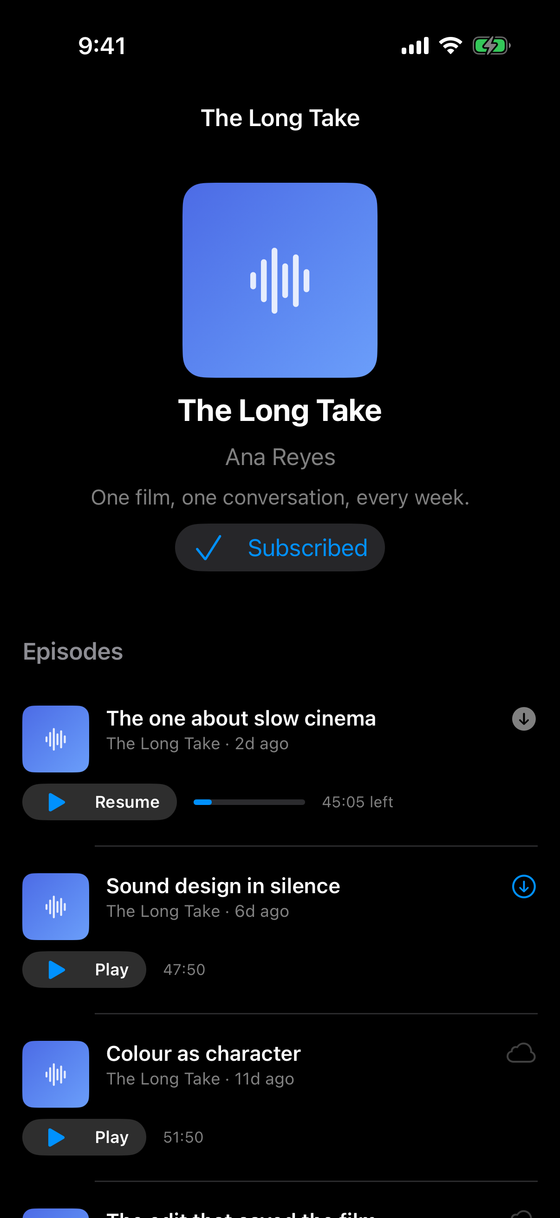
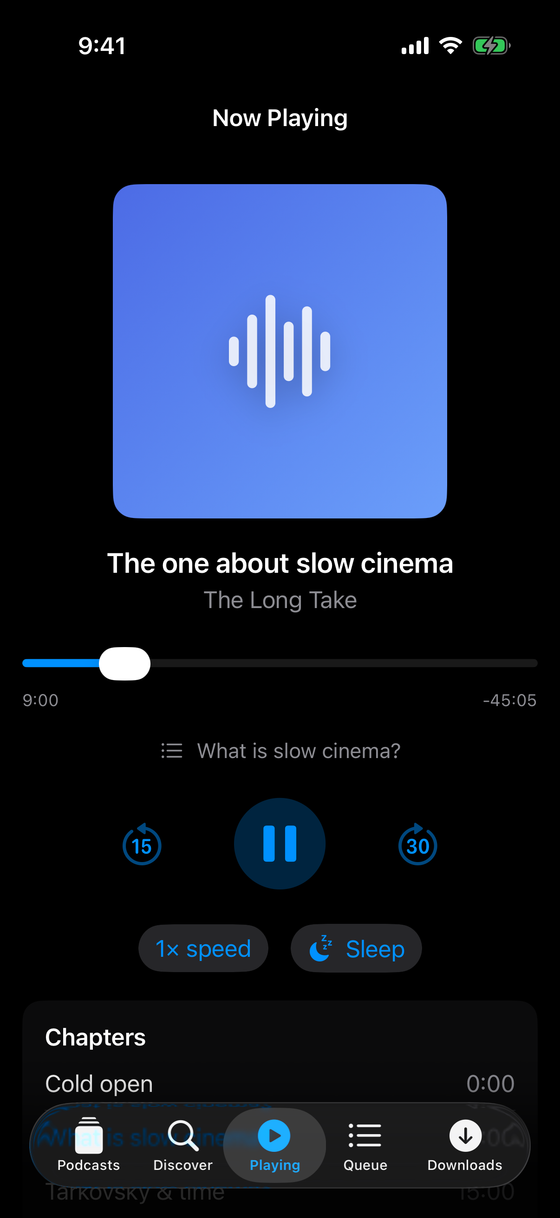
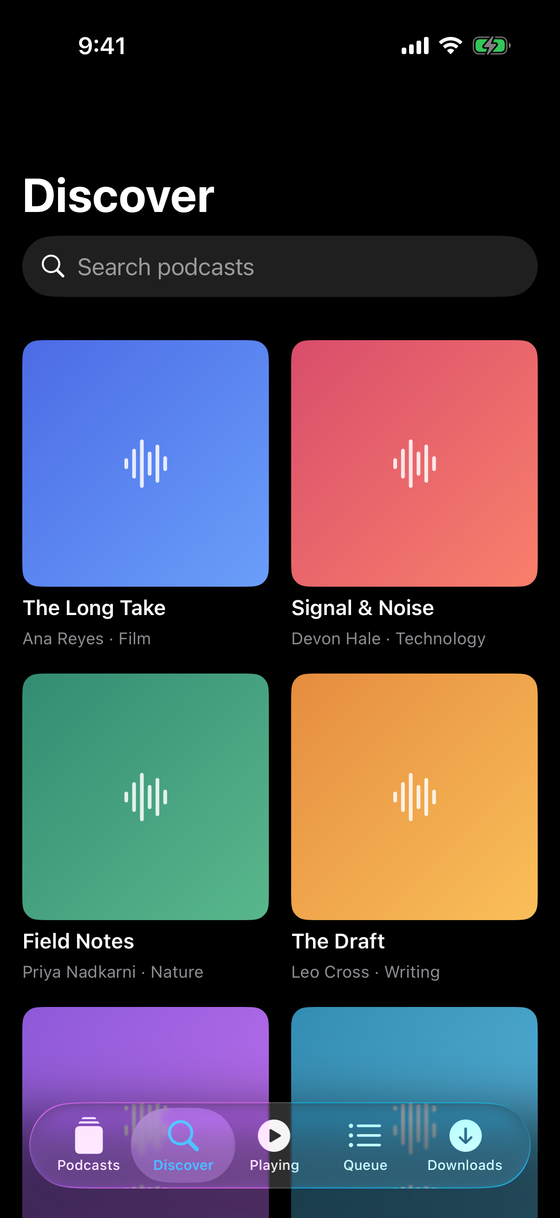
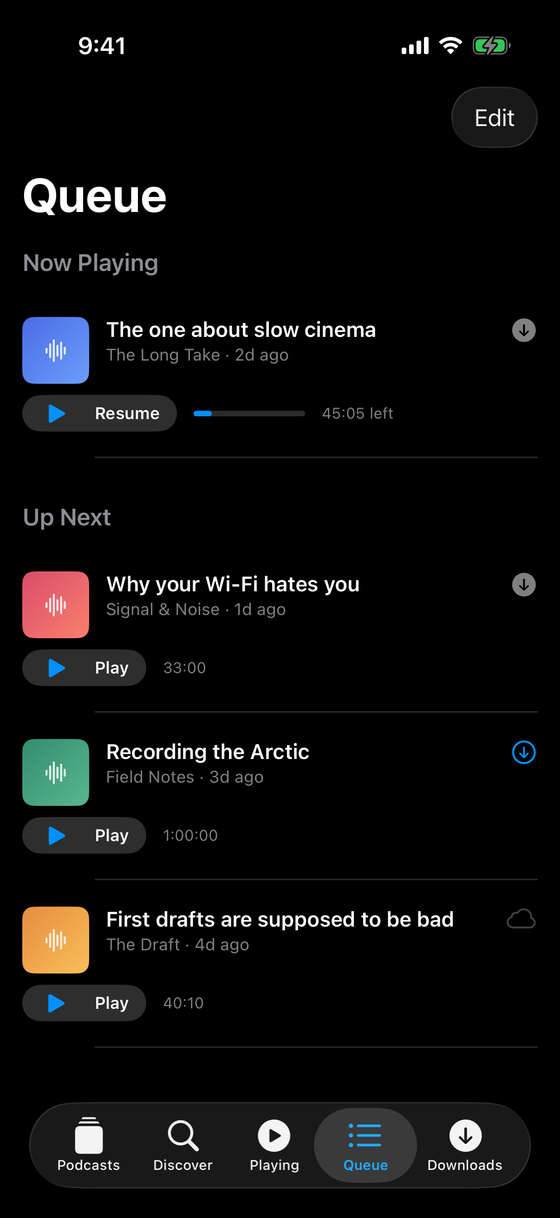
Concepts this locks in
AVAudioSessionconfiguration + activation — the contract that lets you play in the background.AVPlayer/AVPlayerItem— loading, play/pause/seek, and observing time and status.- An
@Observableplayer model that owns theAVPlayerand exposes UI-friendly state. - Chapters and a queue derived over the current episode/playlist; a sleep timer.
- The background audio capability and
MPNowPlayingInfoCenter/MPRemoteCommandCenter. URLSessionbackground downloads with a delegate, progress reported safely across callbacks.- ActivityKit for a now-playing Live Activity (elective milestone).
Backend tier: 1–2
Podcasts and episodes seed from bundled feeds (Tier 1: local). Playing streams from public URLs; downloads persist to the app's container. Discover searches a bundled directory in scope (a live feed index is a stretch). There's no account server or cross-device sync — the focus stays on the media stack, which is the hard part.
AI stage: Professional
You are past "approve every line." You scope a component — "write a DownloadManager that runs
URLSession background downloads and reports per-episode progress" — let Claude Code produce it,
then review it as an engineer. The media/concurrency APIs are exactly where a plausible AI diff
hides a real bug: a Sendable violation in a delegate, a retain cycle in a time observer, a
progress dictionary mutated from two callbacks at once. The checkpoint is built around finding one.
Professional does not mean unreviewed. It means you own the review. The download-concurrency checkpoint is a real AI-produced flaw you must catch — treat every diff as a code review, because here the plausible-wrong answer will compile.
In scope
- Subscribed podcasts, show pages, and a searchable discover directory.
- Reliable play/pause/seek with an
@Observableplayer; chapters, a queue, a sleep timer. - Background playback surviving backgrounding + lock; lock-screen controls in sync.
- Background downloads with race-free progress and a cancel that stops.
- Light and dark mode, VoiceOver on all transport controls.
Out of scope
- A backend you own (accounts, cross-device sync, server-side feed parsing).
- CarPlay (a natural extension, but a separate surface).
- Silence trimming and voice boost (real Overcast DSP, not needed to prove the stack).
- A live, internet-scale podcast index — the discover directory is bundled.
Definition of done
You can browse subscribed shows, discover and open a show, start an episode, jump by chapter, set a sleep timer, background the app and keep listening with working lock-screen controls, download an episode over a flaky connection with accurate progress, and later play it offline. Then the rubric.
Knowledge check
Q: Why is AVAudioSession configuration a required step, not an optional nicety?
It's the contract with the OS declaring what your audio does — the category and mode decide whether
you can play in the background, whether you duck or mix, and how interruptions are delivered.
Without configuring and activating it for playback, your audio stops the moment the app backgrounds.
Q: Chapters, a queue, and a sleep timer are new features. Which touch the audio engine and which
are just UI?
Chapters are a seek (player.seek(to: chapter.start)) and a derived "current chapter" from the
play position — mostly UI over the engine. The queue is a list the player advances through at
end-of-item. The sleep timer is the one that reaches into playback: a timer that calls pause()
when it fires. Most of the "features" are views over state you already own.