
Project 7 — Staybnb / Airbnb lite: the spec
Unit 27 · Project 7 (Staybnb, an Airbnb clone). Backend Tier 2 (Supabase + edge functions). AI stage: Professional — you plan first, delegate broader chunks, and gate the result through a review pass. A real stays app: a category explore, a rich listing detail (photo gallery, host, amenities, reviews), a booking flow with a price breakdown, wishlists, and a map.
Staybnb is a stays app: browse listings by category, open a place to a full detail with a swipeable photo gallery, host, amenities, reviews, and a where-you'll-be map, save favorites to a wishlist, and run a booking flow that totals the trip. Underneath is a map of results you can pan and a filter panel, and on iPad the same content becomes a three-pane layout — the theme is composition at scale: many listings, many surfaces, two form factors, one coherent app.
What you build
- Explore — a search header, a scrollable category row, and a feed of listing cards (a paging photo gallery, a heart, location, rating, price) — with a map you can pop into.
- Listing detail — a photo gallery, title + rating, the host, the room specs, an amenities list, a reviews section, and a "where you'll be" map, with a sticky reserve bar.
- Booking — pick nights and guests and see the price breakdown (nightly × nights, cleaning, service, total) with a confirm button.
- Wishlists — the places you hearted, saved and shown in their own tab.
- Filters + map — compose price/guests/amenities; a MapKit map with custom price pins.
The screens
| Screen | Shows | Key interaction |
|---|---|---|
| Explore | category row + listing cards, search | tap a category/card; open the map |
| Listing detail | gallery, host, amenities, reviews, map | scroll, save, reserve |
| Booking | nights/guests + price breakdown | confirm and pay |
| Reviews | rating summary + review list | scroll |
| Map | price pins over MapKit | pan/zoom, tap a pin |
What it looks like finished
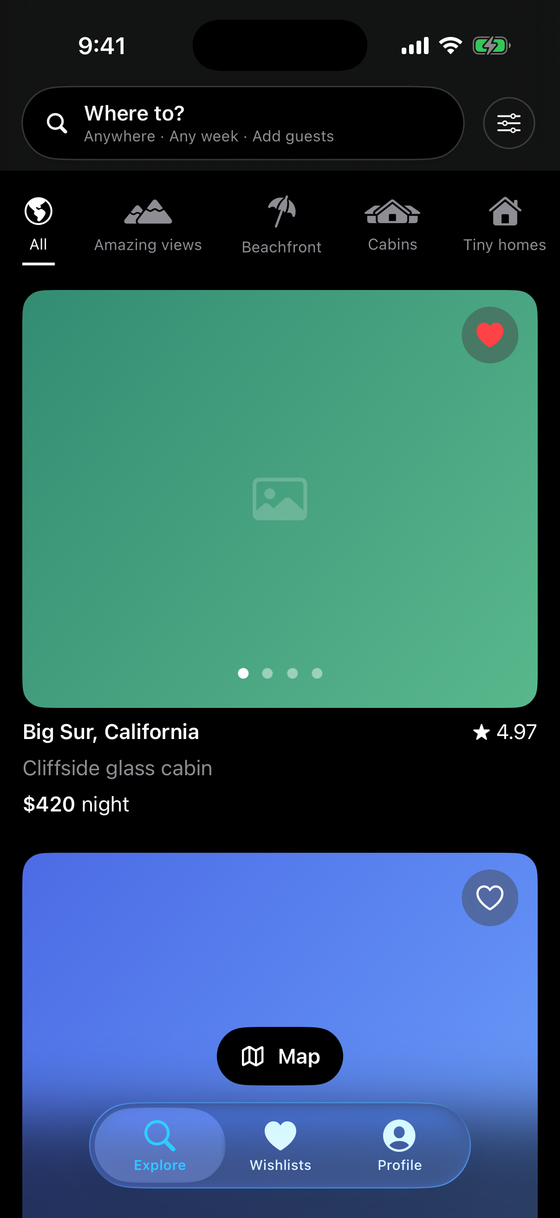
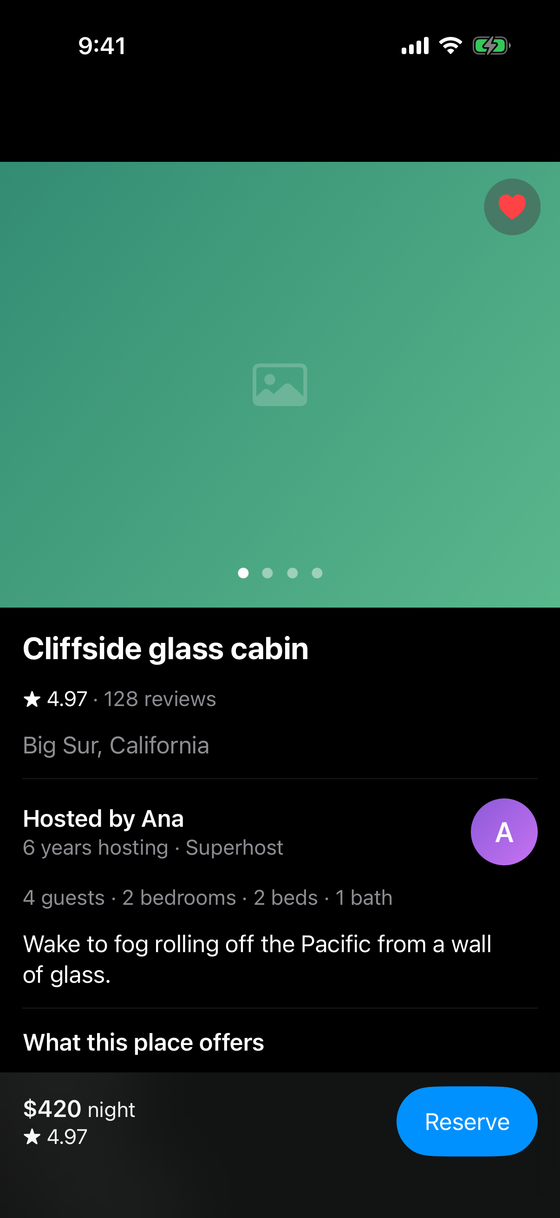
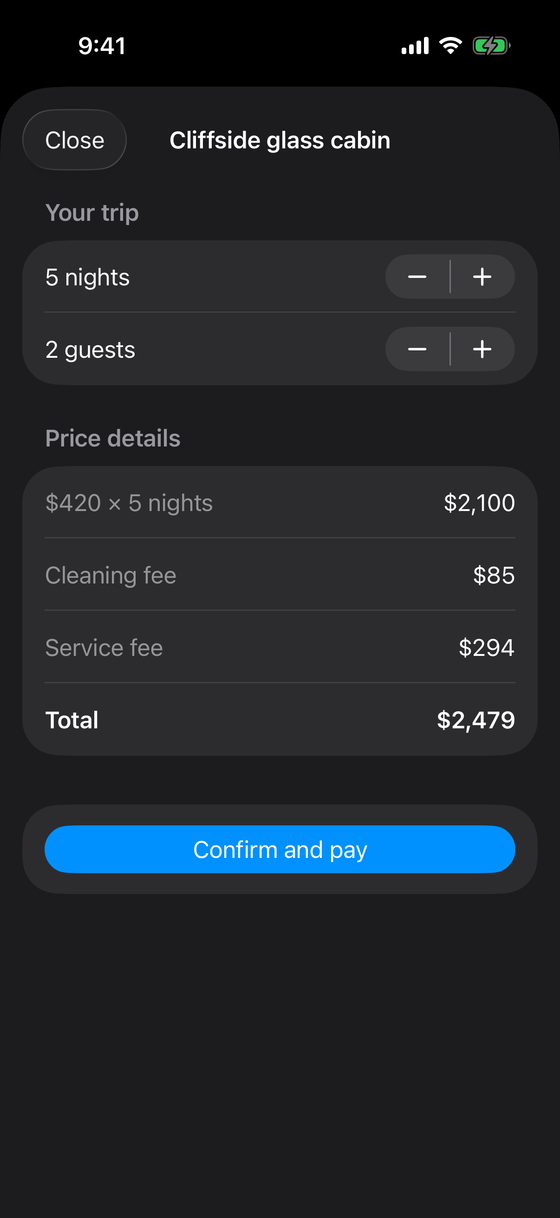
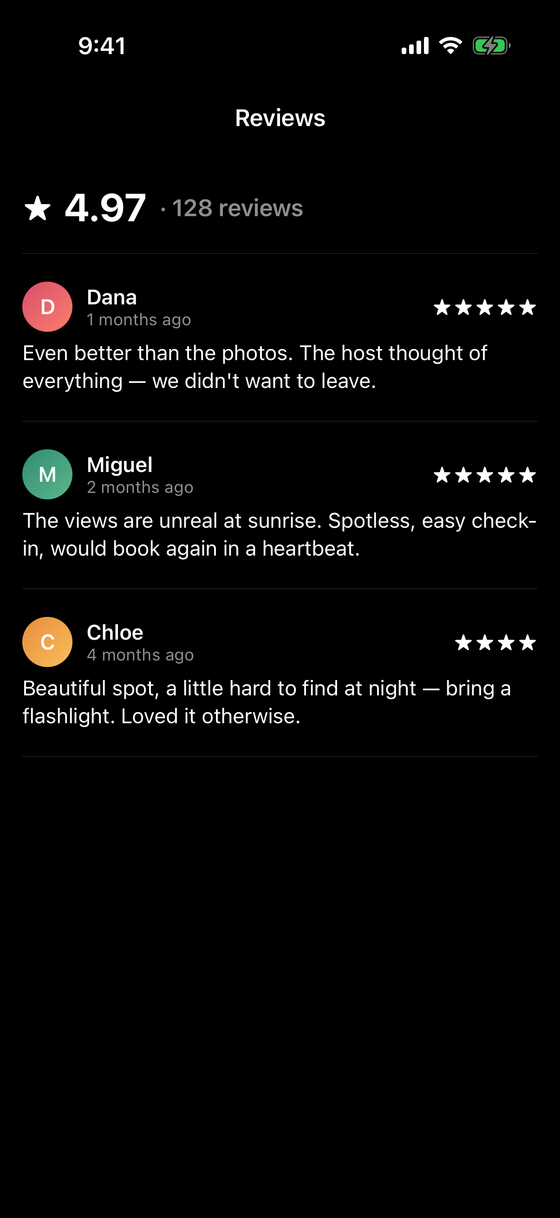
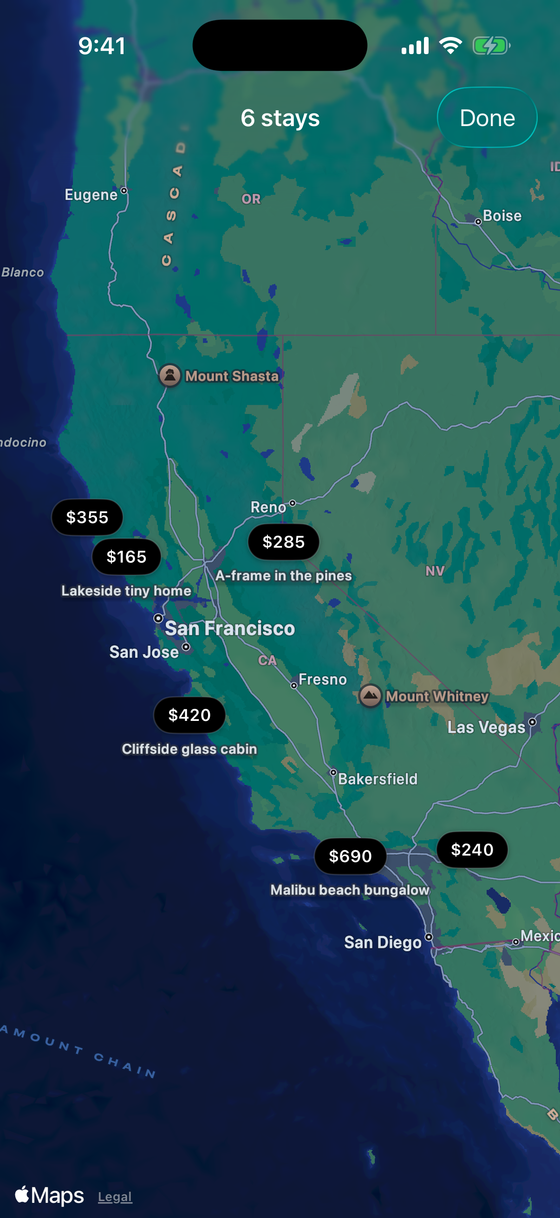
NavigationSplitView on iPad. Listings are sample data — a real build fetches them through the Supabase edge function.Concepts this locks in
- MapKit in SwiftUI — the
Mapview, custom price-pin annotations, camera framing. - A paging photo gallery — a
TabView(.page)of images with a heart and page dots. - Complex filtering + categories — a filter model composing pure predicates, off the render path.
- A booking flow — derived price math (nights × price + fees) with a confirm sheet.
- Wishlists — an
@Observablestore in the environment; several screens read it. NavigationSplitView— a three-column iPad layout that collapses to a stack on iPhone.- Supabase edge functions — moving search and pricing to a server-side function.
- Render discipline — the AI checkpoint targets a view that re-renders pathologically.
Backend tier: 2 (Supabase + edge functions)
Listings live in Supabase. Simple reads use the client directly, but the search — apply the filters, compute a nightly price for the date range, return a ranked page — runs in a TypeScript edge function you deploy. The app calls it like any API. This is the first project where you write server code, and it is deliberately small: one function, one clear job.
AI stage: Professional
In Professional mode you get broader autonomy — the model can take a whole milestone as a task
— but the workflow around it tightens: plan first (review the plan, not just the diff),
CLAUDE.md conventions bind, and a code-review pass (/swift-review) checks each chunk
against them.
Professional does not mean "unsupervised." The review moves earlier and higher: you review the plan and the architecture, and a review pass catches the line-level issues. You are accountable for every line the model wrote as if you wrote it — because in the rubric, you did.
In scope
- A category explore with listing cards (paging gallery, heart, rating, price) and a map.
- A rich listing detail: gallery, host, specs, amenities, reviews, a where-you'll-be map.
- A booking flow with a derived price breakdown and a confirm step.
- A wishlist store several screens read; a filter model with a visible result count.
- A
NavigationSplitViewiPad layout; one Supabase edge function for server-side search. - Light/dark correct; Dynamic Type and VoiceOver on the cards, filters, and detail.
Out of scope
- Real payments and real availability calendars — the booking flow totals a trip and confirms, but doesn't charge a card or check live availability.
- Host dashboards, messaging hosts, and account management beyond a stub profile.
- Offline caching of map tiles or listings beyond the current results.
- Real geocoding of free-text locations — a fixed set of listings/regions.
Definition of done
On iPhone you can browse by category, open a listing to its full detail, save it to your wishlist, run the booking sheet and see a correct total, and read its reviews — with the map and filters working. On iPad the same content shows as a three-pane split. The search runs through your edge function, and the filters don't cause the whole list to re-render pathologically. Then the checkpoint, then the rubric.
Knowledge check
Q: What changes about your workflow moving from Pair to Professional? The review moves earlier: you agree a plan before code, the model may take a larger chunk, and a code-review pass checks the result against the repo conventions. Autonomy goes up, but so does the rigor of the gate — and you own every line in the rubric.
Q: The wishlist heart appears on a card, on the detail, and drives a whole tab. How is that one
piece of state?
It's an @Observable Wishlist in the environment. The card's heart, the detail's heart, and the
Wishlists tab all read and toggle the same store, so saving anywhere updates everywhere with no
syncing — the same "one source of truth, many readers" pattern the backend tiers keep teaching.