
Project 6 — Pingline / iMessage lite: the spec
Unit 26 · Project 6 (Pingline, an iMessage clone). Backend Tier 2 (Supabase Realtime). AI stage: Pair — the model proposes, you approve every diff. A real messaging app: 1:1 and group chats, tapback reactions, image attachments, and read receipts, all live. A mid-project AI checkpoint hunts an actor-reentrancy bug. (End-to-end encryption is deferred.)
Pingline is a messaging app: pick a conversation, see the thread, type, send, react, and watch the other side arrive live without a refresh — in one-to-one chats and in groups. Everything hard about it is concurrency you cannot see: a socket that drops and reconnects, messages that arrive out of order, a send that has to feel instant but might fail. This is the project where async Swift stops being an exercise and becomes the load-bearing wall — and where the surface grows into a real chat client on top of it.
What you build
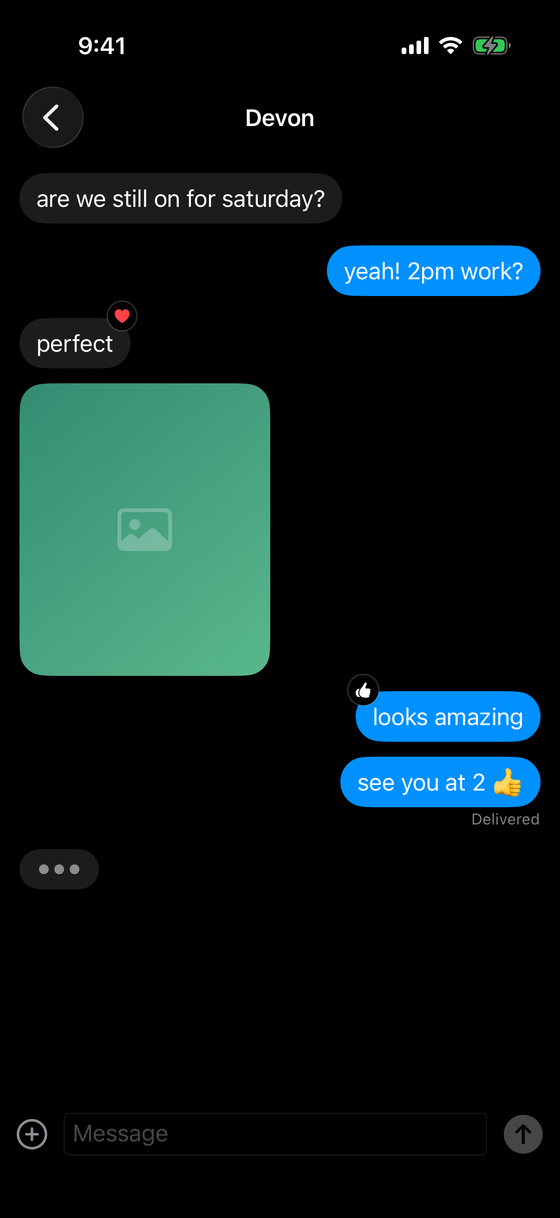
A conversation list shows each thread — 1:1 and group — with its last message and unread badge. Tapping one opens the message thread: a scrolling transcript with your sends in blue and theirs in gray, a compose bar, and a typing indicator. Group threads attribute each message to its sender (avatar + name). Long-press a bubble for the tapback menu; a reaction shows as a badge on the bubble. Messages can carry an image attachment, and your last sent message shows a read receipt (Delivered → Read). New messages arrive live; your own appear the instant you send, then reconcile.
The screens
| Screen | Shows | Key interaction |
|---|---|---|
| Conversation list | 1:1 + group threads, last message, unread badge | tap to open |
| 1:1 thread | bubbles, reactions, image, read receipt, typing | send, react, scroll |
| Group thread | per-sender bubbles (avatar + name), reactions | send, react |
| Tapback menu | the reaction picker over a bubble | long-press, pick |
What it looks like finished
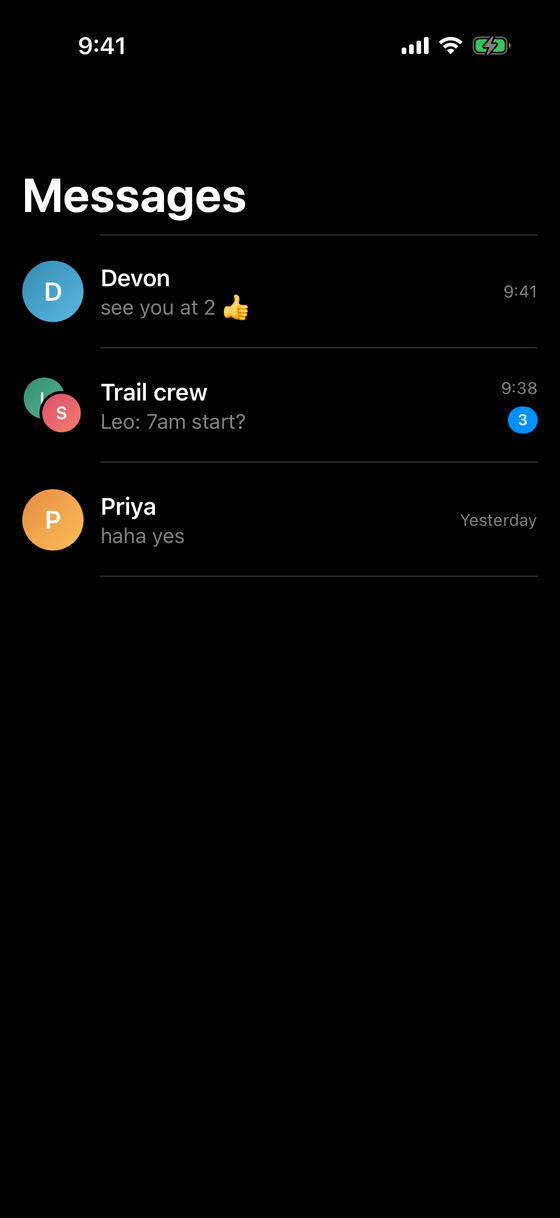
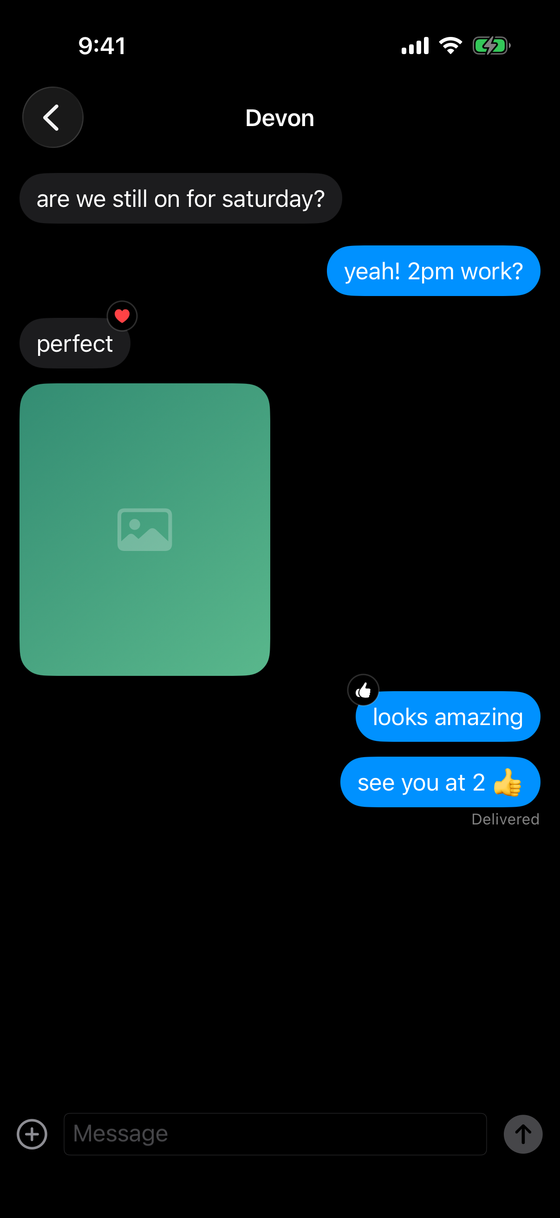
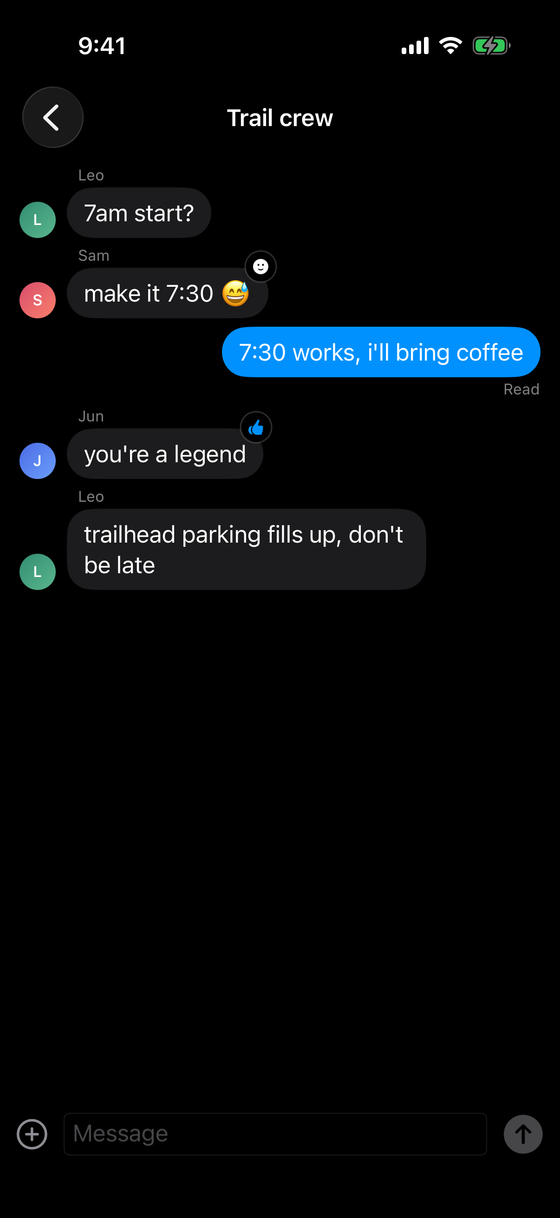
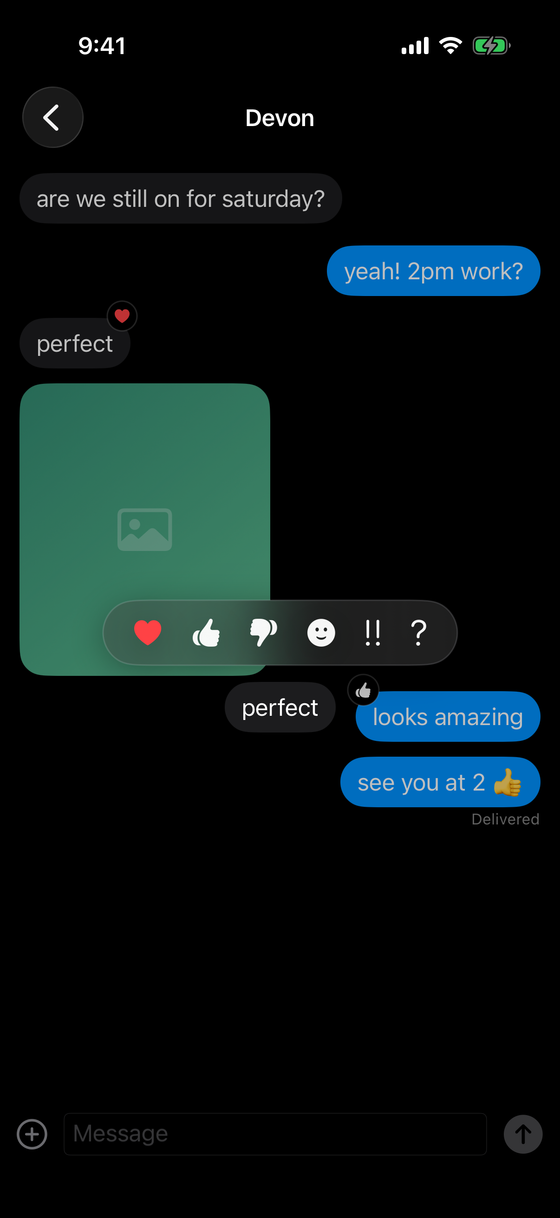
Concepts this locks in
- Supabase Realtime — subscribing to database changes over a websocket.
AsyncSequence/AsyncStream— the incoming message feed as values you consume withfor await, not a delegate callback firehose.- Actors for connection state — an
actor ConnectionStateowning connect/disconnect and the offline outbox. - Optimistic UI + delivery states — a sent message shown instantly, reconciled through sending → sent → delivered → read (or failed).
- Group attribution — one thread, many senders; the row shows whose message it is.
- Reactions & attachments — a tapback table keyed to a message; an image row with a Storage path.
- Reentrancy discipline — the actor hazard the AI checkpoint is built around.
Backend tier: 2 (Supabase Realtime)
Messages live in a Supabase Postgres table. You INSERT a row to send, and subscribe to that
table's change feed to receive; reactions and attachments are related tables. Realtime pushes
every insert to every subscribed client over a websocket. You are not writing socket framing by
hand — the Supabase client does that — but you are responsible for what happens when the socket
is down, which is most of the real work.
AI stage: Pair
In Pair mode the model may write code, but every change arrives as a diff you read and
approve. Use it to draft a subscription boilerplate or a view layout, then interrogate the diff:
is this actor method safe across its await? Does this optimistic update have a rollback path?
Pair mode is not "let the model build it and skim the result." The skill is review: reading a diff for the concurrency bug that compiles cleanly and only bites under load. Approve nothing you could not defend in the rubric.
In scope
- Live receive in 1:1 and group threads; optimistic send with delivery states.
- Tapback reactions, image attachments, and read receipts (Delivered → Read).
- Connection state in an actor, with reconnect and an offline send buffer.
- Scroll-to-bottom on new messages; a typing indicator.
- Light and dark both correct; VoiceOver on messages and the compose field.
Out of scope
- End-to-end encryption — a real product concern, deferred past this project's lesson.
- Message editing/deletion sync, full-history search, and pagination beyond a recent window.
- Voice/video calls; message effects and stickers.
- Push notifications in the graded core — the elective stretch in Milestone 3.
Definition of done
Two clients signed in as two users can hold a conversation — 1:1 and in a group — each seeing the other's messages live, their own sends instantly, reactions and attachments rendering, and read receipts advancing. Killing the network mid-conversation degrades gracefully: messages queue, the UI says so, and they flush on reconnect. Then the checkpoint, then the rubric.
Knowledge check
Q: Why is optimistic UI a defining constraint of this project, not a polish item? Because a chat that waits for a server round-trip before showing your own message feels broken. Optimistic send is the core interaction, which forces you to design reconciliation — sending → sent → delivered → read, and failure/rollback — from the start rather than bolting it on.
Q: A group thread and a 1:1 thread use the same message table. What does the group need extra?
Sender attribution. Every message already has an author_id; the group thread joins it to the
author's profile and renders the avatar + name above others' bubbles, where the 1:1 thread can
leave it implicit. Same data, one more field surfaced.