
Project 1 — Counter+ / Tip Splitter: the spec
Unit 21 · Project 1 (warm-up). Backend Tier 0 (no persistence). AI stage: Tutor —
you type every line by hand; /tutor gives hints, never code. This spec lesson defines the
target; the milestone lessons build it.
This is the shortest project on the ladder, and that is the point. Before you touch SwiftData, networking, or navigation, you prove you can drive SwiftUI's core loop: state goes in, a view renders it, an interaction changes the state, the view updates. Everything harder is built on that loop. You will build two small screens that share nothing but the same discipline.
What you build
Counter+ — a single screen with a large number, a + and − button, an adjustable
step size, and a reset. It clamps at a floor of zero. It is the "hello world" of @State.
Tip Splitter — a bill calculator: enter a subtotal, choose a tip percentage, set the party size, and see the tip amount, the grand total, and the per-person share, all formatted as currency. Every output is a computed value derived from the inputs; you store nothing you can calculate.
Both screens live in one app behind a TabView. That is the entire surface area.
The screens
| Screen | Inputs | Outputs |
|---|---|---|
| Counter+ | + / − buttons, step stepper, reset |
current count |
| Tip Splitter | subtotal field, tip % control, party size | tip, total, per-person |
What it looks like finished
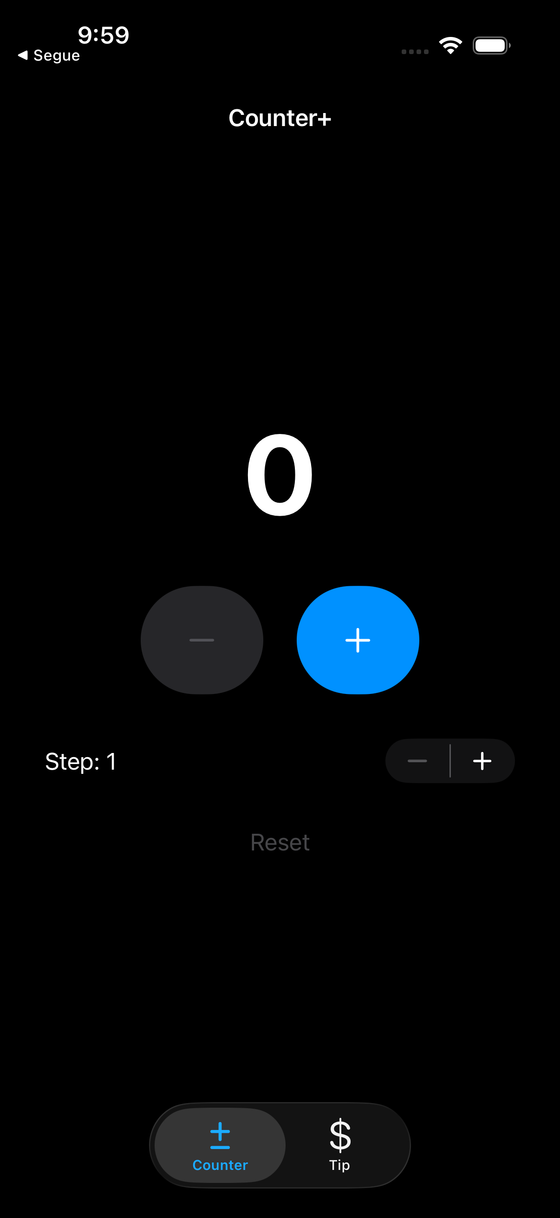
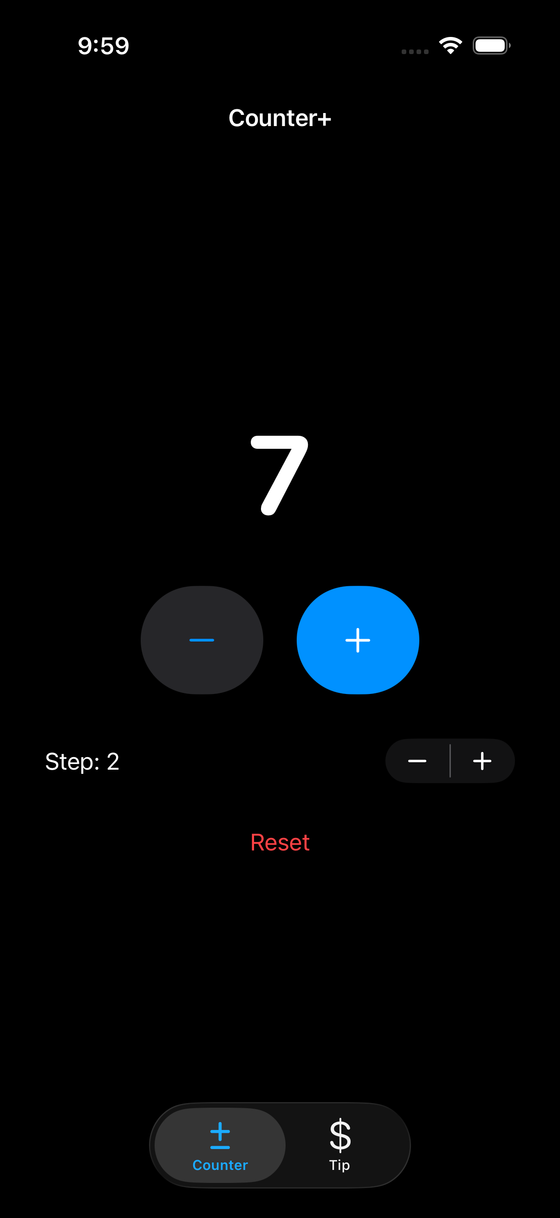
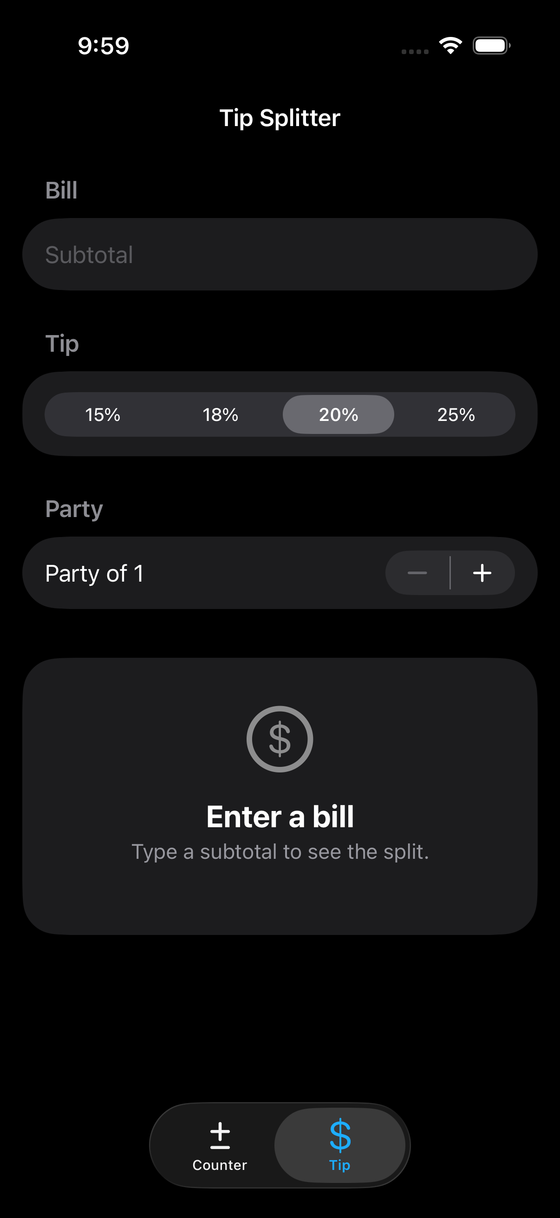
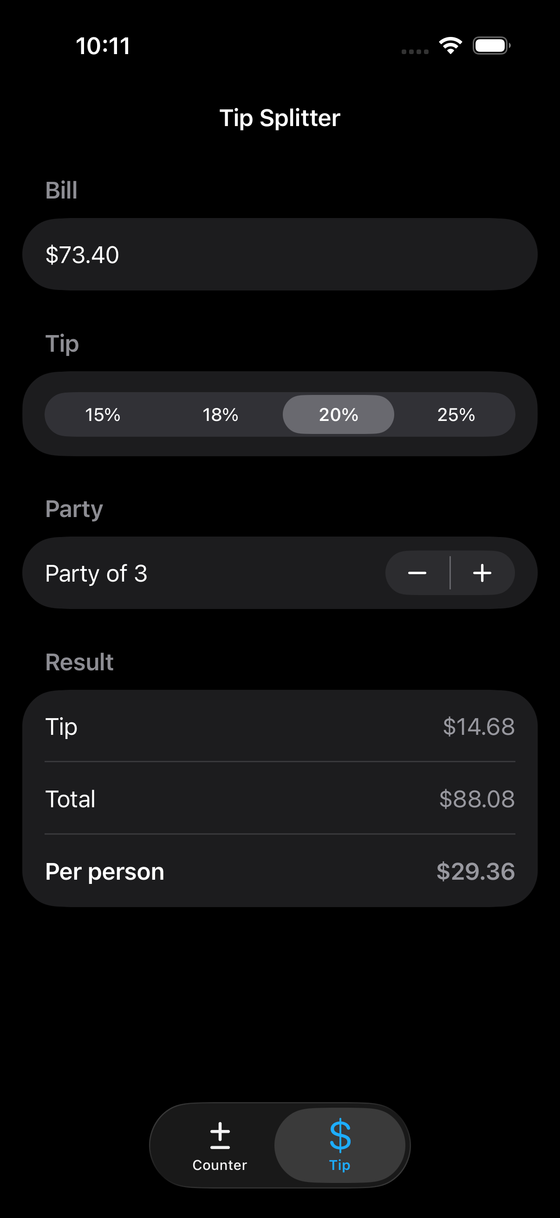
Concepts this locks in
@Stateas the single source of truth for a view's own data.VStack/HStack/Spacerlayout and alignment.Buttonactions that mutate state, and disabling a button by state.- Computed properties on a view struct for derived values.
TextFieldwith a numeric binding, and.formatted(.currency(code:))for money.- Designing empty and edge states on purpose (subtotal blank, party size of one).
Backend tier: 0
Nothing persists. Close the app and both screens reset. That is intentional — persistence
is Project 2's job. Resist the urge to reach for @AppStorage here; you are practicing the
in-memory state loop cleanly first.
AI stage: Tutor
You are in the most restrictive AI mode on the ladder. You hand-type all code. When you
are stuck, run /tutor and describe the specific wall you hit — a compiler error, a layout
that won't center, a binding that won't update. Tutor responds with a question or a hint that
points at the concept, not a snippet you paste. The goal of Project 1 is that the SwiftUI
mental model becomes yours, not the model's.
A good /tutor prompt is specific: "my count label doesn't update when I tap +, here's my
Button action" beats "my counter is broken." The narrower the question, the sharper the
hint — and the more you learn from closing the gap yourself.
In scope
- Two working screens in a
TabView, light and dark mode both correct. - Currency formatting that respects the device locale.
- Sensible disabled/edge states (no negative count, no divide-by-zero).
- VoiceOver labels on the interactive controls.
Out of scope
- Persistence of any kind (Tier 0).
- A view model or
@Observabletype — a view's@Stateis enough here, and Project 2 earns the upgrade. - Networking, navigation stacks, multiple currencies, split-by-item.
- Animations beyond SwiftUI's implicit defaults.
Definition of done
You can hand the app to someone, they can count up and down with a custom step, split a $73.40 bill three ways at 20%, and every number is right, formatted, and readable in dark mode. When that is true, move to the rubric and defend your choices.
Knowledge check
Q: Why is there no persistence in this project? Tier 0 is deliberate. Project 1 isolates the in-memory state-to-view loop so you learn it without the confounder of a storage layer. Persistence arrives in Project 2 with SwiftData.
Q: In Tutor stage, what should /tutor give you?
A hint or a guiding question aimed at the concept you're stuck on — never finished code to
paste. You type every line yourself so the SwiftUI model becomes yours.